How to create Administrator user AWS
 Rez Moss
1 min read
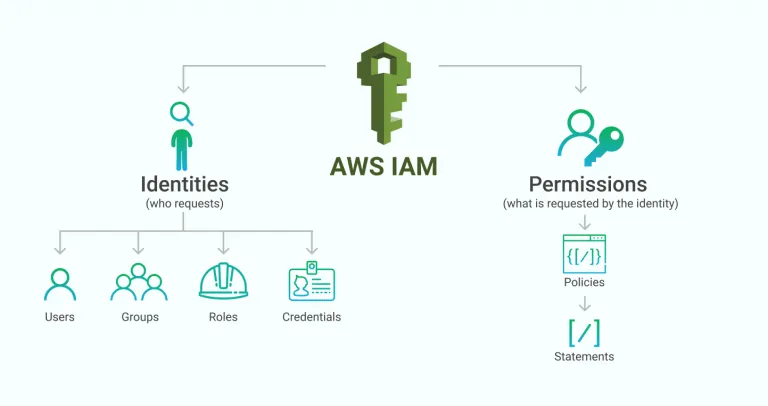
Using the root account for day-to-day work is risky. Create an administrator user instead:
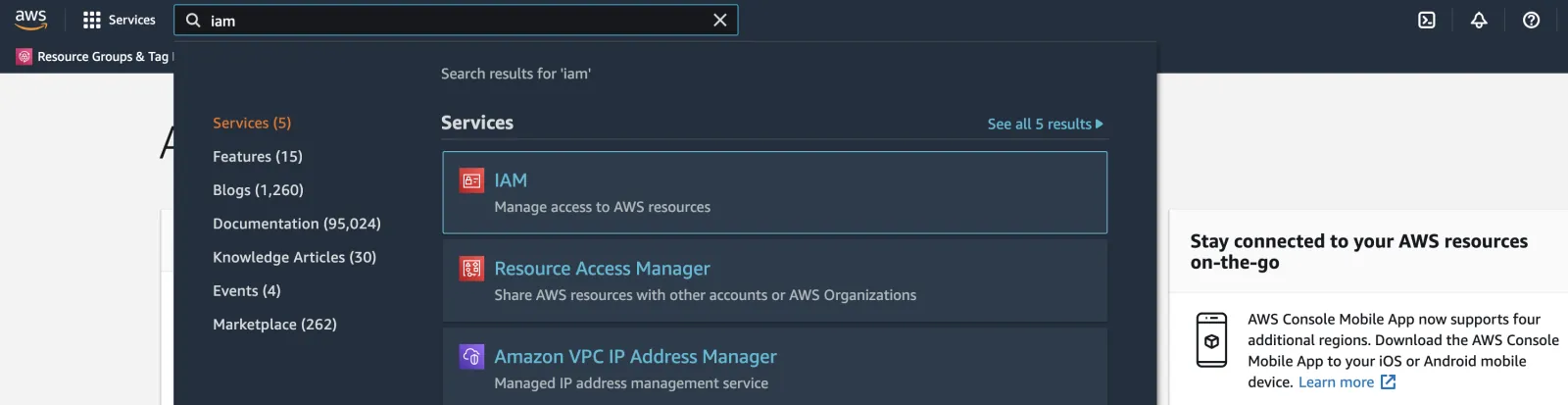
1- Log in to your AWS account, search for IAM in the top menu, and click IAM.
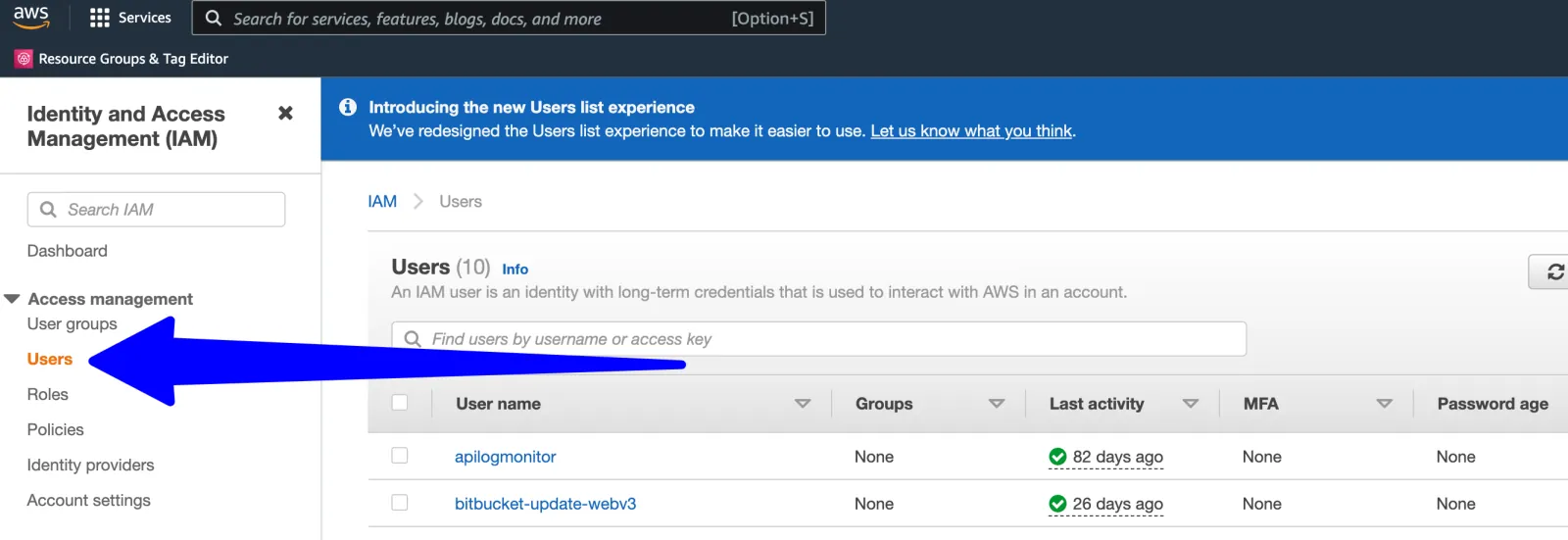
2- Click Users in the left menu.
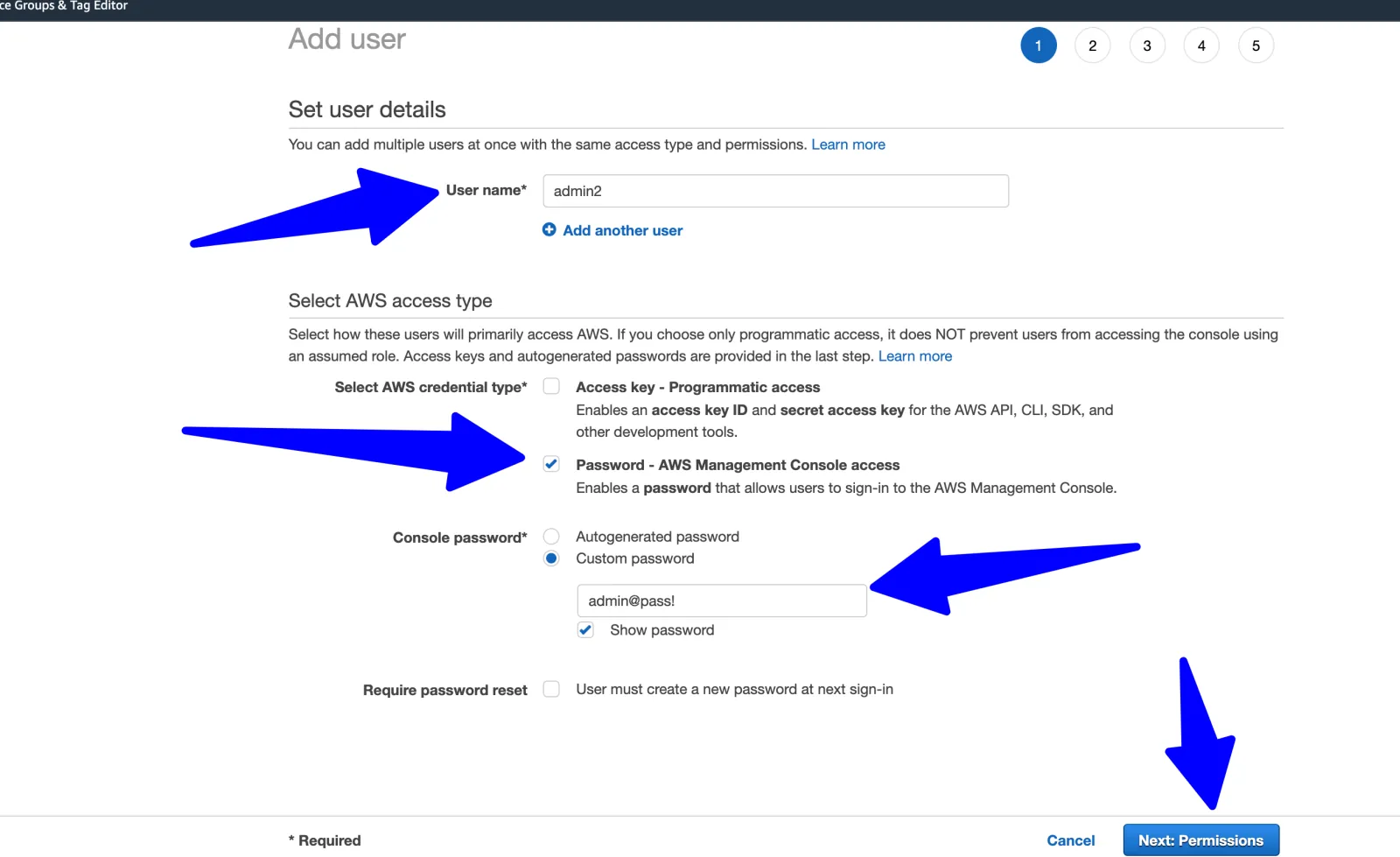
3- Enter a username and password, check “Password - AWS management console access”, then click “Next permission”.
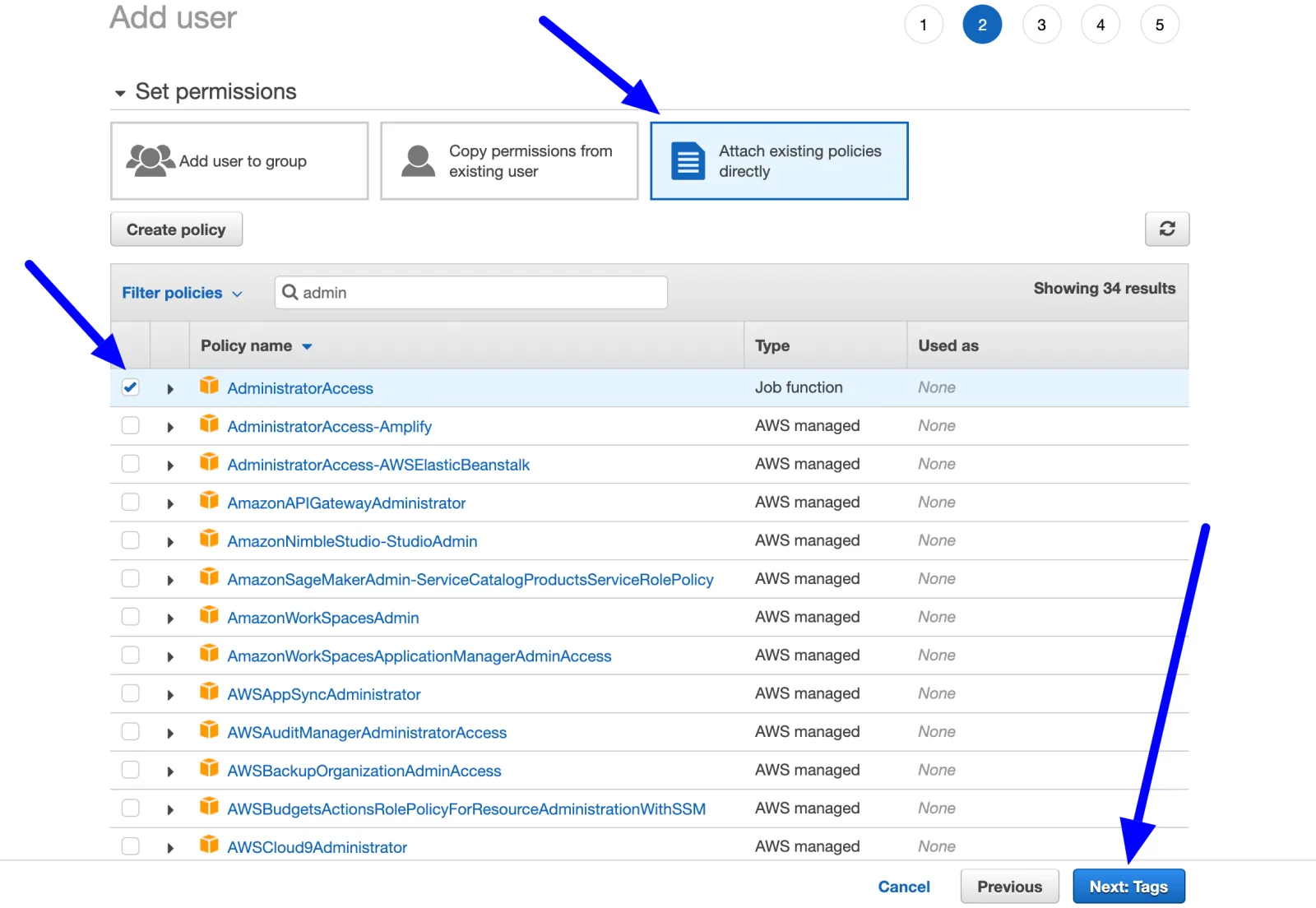
4- Choose “Attach existing policies directly” at the top, search for “admin” in the policy filter, check “AdministratorAccess”, then click “Next: Tags”.
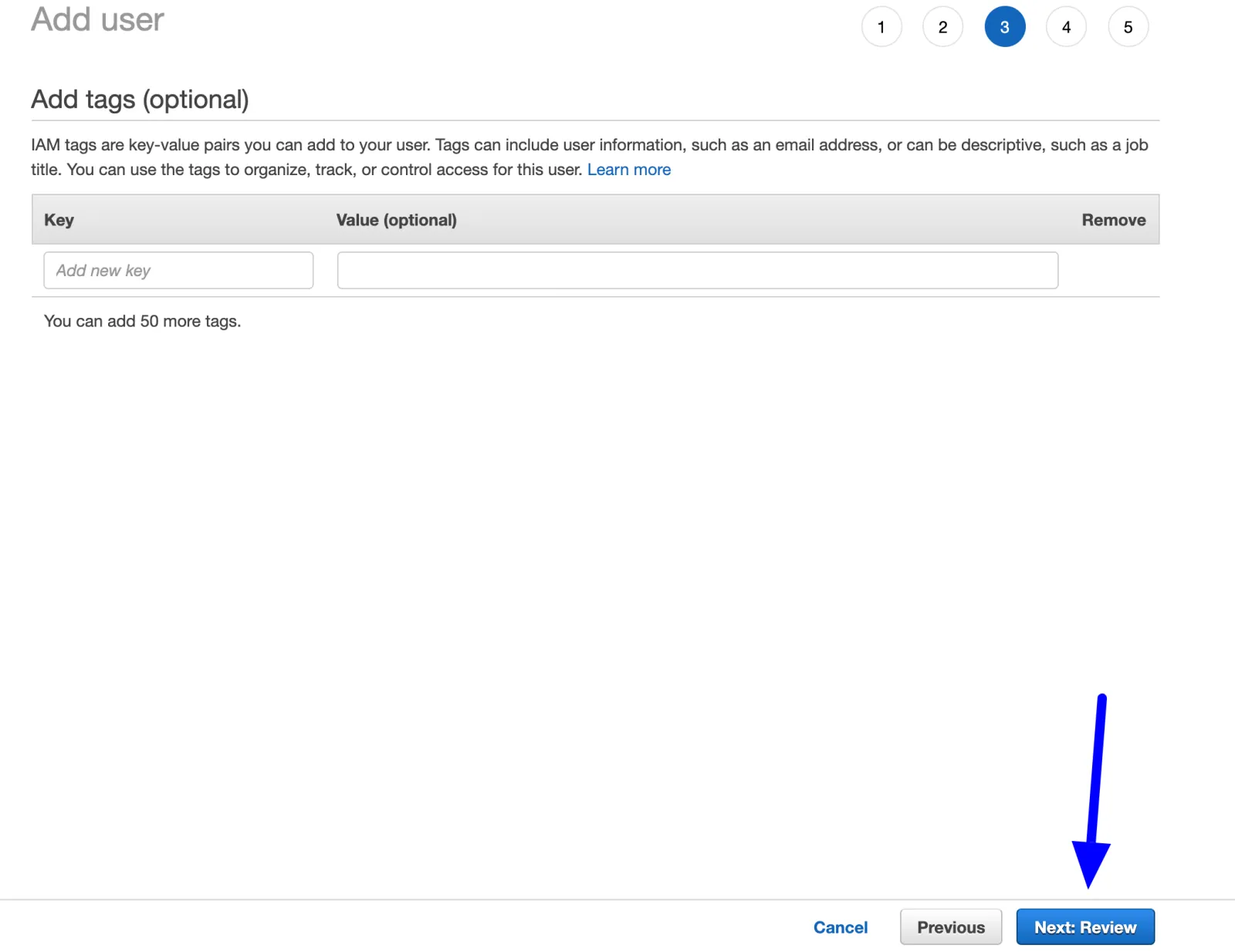
5- Click “Next: Review”.
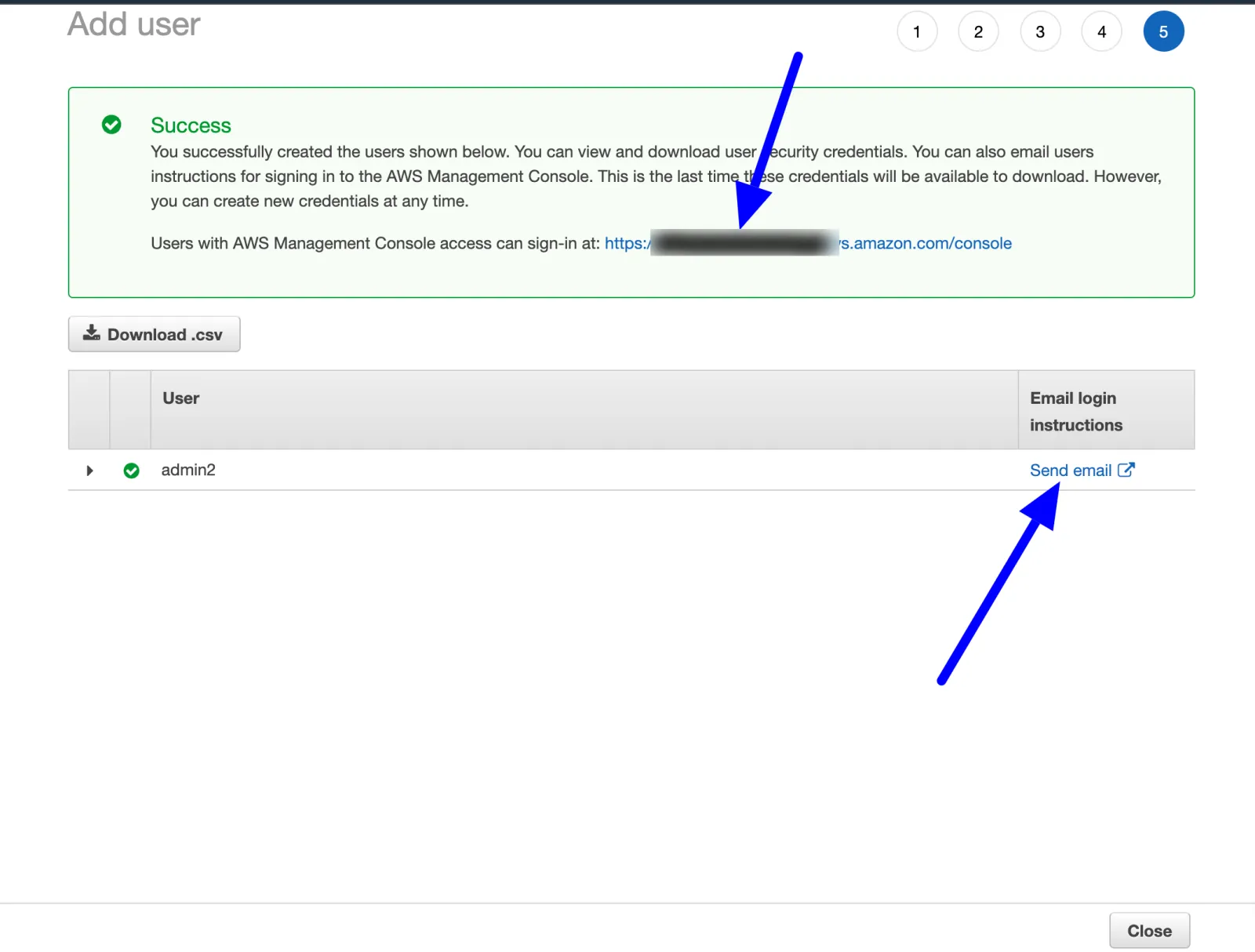
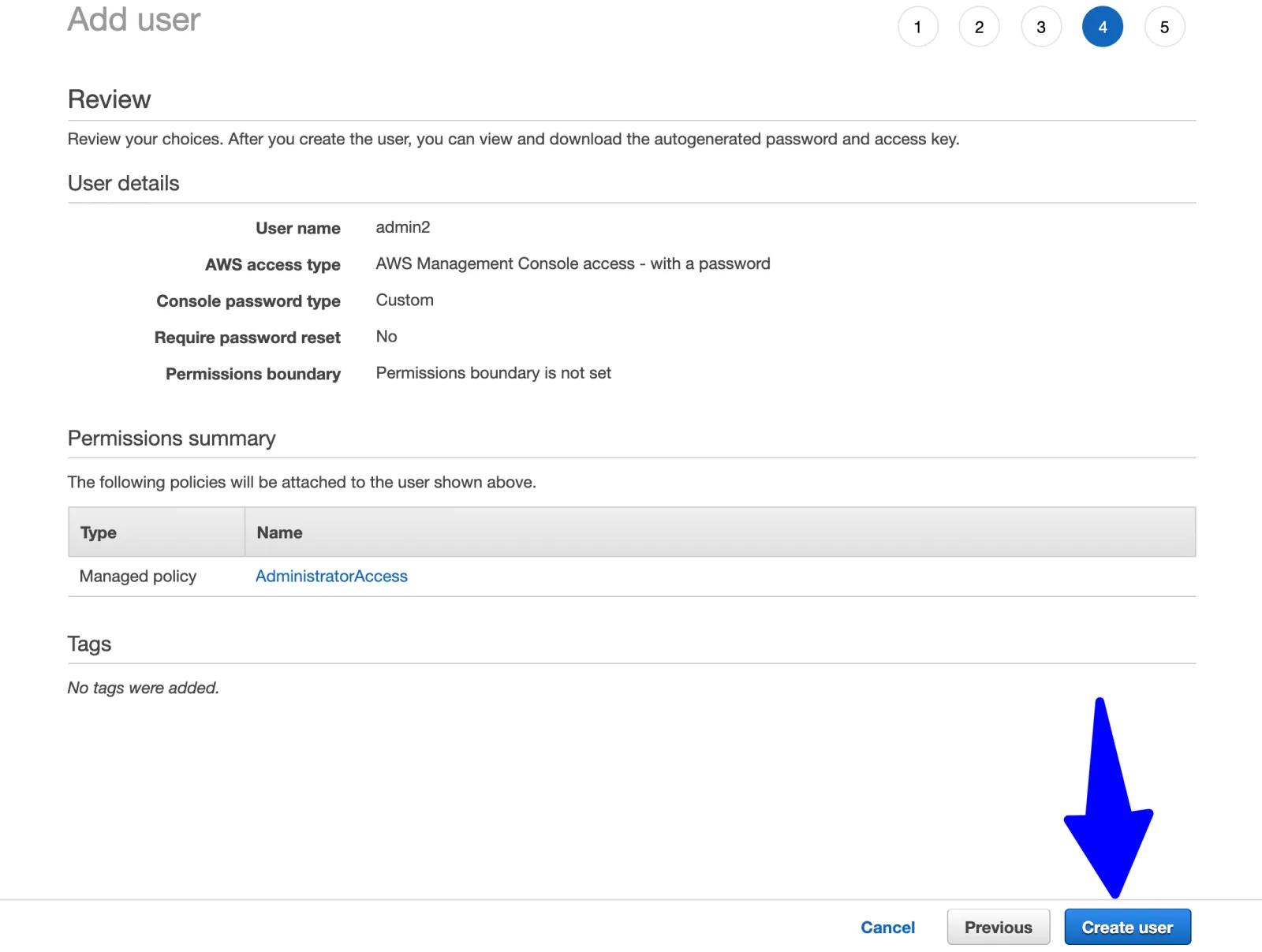
6- Click “Create user”.
7- Done. Share the sign-in URL at the top with whoever will use this user. You can also email the URL and username from this page, but the email does not include the password, so send that yourself.